分類 Unity 下的文章

AssetStudioGUI 可以用來查看 Unity 包體內容, 可以多看看其他優質產品的資源內容怎麼做的

首先開啟 AssetStudioGUI
56533-xssdnwijam8.png

將 unity 的包給解壓, 用來測試的是之前上傳 Google Play 的 RummyGo aab包
81185-kb3z490tbzb.png

AssetStudioGUI 點擊 文件->加載目錄, 選擇解壓目錄
85830-fao0kd2llnj.png

切換到資源列表, 並點類型排序
96427-dr0n1ygrhel.png

可以直接查看包體內容
42052-yy9rtnr5hs.png

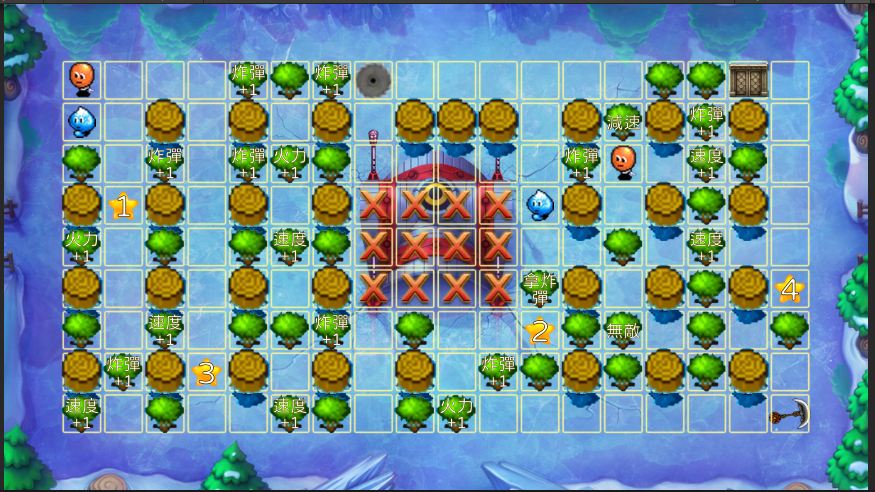
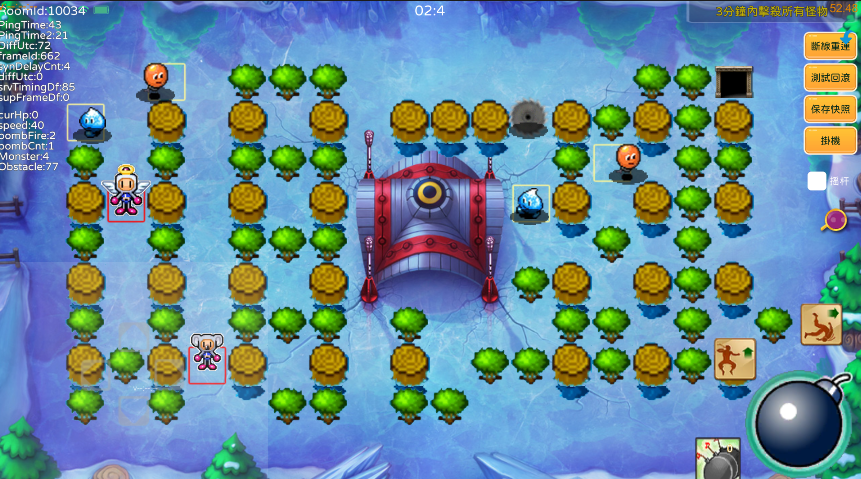
打包app執行轟炸超人發現遊戲開局就crash了....
43263-pqdof30pwk9.png
95688-6lpou38yl0i.png

在pc上複查發現這個錯誤
04236-o2zub6agc9j.png

最後發現是這邊出錯, int[,]在查詢數據時 address 不知道為什麼出錯了

for (int j = 0; j < map.MapConfig.ChunkH; j++){
    strm += "[";
    for (int i = 0; i < map.MapConfig.ChunkW; i++){
                //這邊出錯
        strm += matrixData[j, i] + ",";
    }
    strm += "],";
}
strm += "]";

詳細錯誤如下

IL_00af: call System.Int32& System.Int32[0...,0...]::Address(System.Int32,System.Int32)
at ETHotfix.AIPlayer.calcNonPath(System.Int32 depth) (at G:/OlgCase/bbm/source/Unity/Assets/Hotfix/GameGather/Bomber/AI/AIPlayer.cs:366)
at ETHotfix.AIPlayer.calcPath() (at G:/OlgCase/bbm/source/Unity/Assets/Hotfix/GameGather/Bomber/AI/AIPlayer.cs:200)
at ETHotfix.AIPlayer.V_Think() (at G:/OlgCase/bbm/source/Unity/Assets/Hotfix/GameGather/Bomber/AI/AIPlayer.cs:86)
at ETHotfix.AIPlayer.think() (at G:/OlgCase/bbm/source/Unity/Assets/Hotfix/GameGather/Bomber/AI/AIPlayer.cs:79)
at ETHotfix.AILogic.UpdateLogic() (at G:/OlgCase/bbm/source/Unity/Assets/Hotfix/GameGather/Bomber/AI/AILogic.cs:292)
at ETHotfix.BaseEntity.updateAILogicAct() (at G:/OlgCase/bbm/source/Unity/Assets/Hotfix/GameGather/Bomber/Entity/BaseEntity.cs:1581)

代碼修改, 把查詢給int再使用就好了

for (int j = 0; j < map.MapConfig.ChunkH; j++){
    strm += "[";
    for (int i = 0; i < map.MapConfig.ChunkW; i++){
        num = matrixData[j, i];
        strm += num + ",";
    }           
    strm += "],";

以後有空再來查這個問題

在使用 ILRuntime需要注意

  1. 減少使用 foreach, Dictionary, IEnumerable 的調用會產生額外 GC
  2. 減少調用主工程包含enum參數的函數, 因為在調用的時候會進行值得轉型, 產生額外 GC
  3. ILBinding需要執行, 否則runtime性能會差很多

升級 ILRuntime 到 2.x 版本在 1.6 版本打包Android(package Hotfix.dll by Release)跟 Editor 下的性能非常糟糕,所有的消耗都在 GC 上面,後來升級 2.x 版本就好了

從更新後重新生成 ILBinding 發現修改了 IList 改成 using AutoList,這部分應該是優化了GC回收效率

今天用了animaiton編技能效果, 上次使用已經是 2013年的時候了, 測試了下就上手, 但奇怪的是 image.sprite 的更改一直無效, 可以看到 image.sprite 上面已經紀錄了不同 frame 下的 sprite, 但 run 起來就是無效
12683-tevouz8zewn.png

查了下發現不能用老版 animation 必須改用 animator, 因為 ugui.image 是在老版後面才出現的功能, unity 沒有回頭去更新 animation 功能, 下面我們就來新增新版本試試看

老版本跟新版本區別在創建流程不同跟添加 component 不一樣

老版本是在 GameObject 新增 Animation Component, 然後開啟 Windows -> Animation -> Animation, Create 新增 Animation Clip, 這樣就是使用 animation 運行
95395-9d3yoapblor.png

如果要搭配 animator, 則 GameObject 無須新增, 直接開啟 Windows -> Animation -> Animation, Create 新增 Animation Clip, 查看 unity 會新增 animation clip 跟 animation controller 兩個檔案並且 GameObject 是新增了 Animator Component, 在這個情況下去編輯 Image.Sprite 就正常
69384-15edr27eixv.png

測試某個插件導入到項目中出現問題, 一般這個問題是因為版本不匹配造成的, 因為直接比對了兩項目的 package 將差異 "com.unity.render-pipelines.universal": "10.6.0", 加入目前項目就出現這個問題
71182-71w3zzm3fdi.png

需要查詢 com.unity.render-pipelines.universal 對應 unity 版本, 在官網的插件中選擇版本下拉清單可以查看到對應 unity 版本
42430-b69irldze1.png

隨便改成了 12.0.0 版本, 目測服務器沒有這個版本
00751-06v7xt3j594u.png

查看 Package Manager 顯示是 not found
17397-j8bvfin3ytk.png

再切回去官網查目前最新 12.1.15, 但還是 not found
08571-n49kvo77s08.png

後來打開 Package Manager 查詢支持, 名字是 Universal RP, 版本 12.1.7 執行 import
73922-hnjxcthq92n.png

import 完成後出現錯誤, 場景變紫色

Shader error in Couldn't open include file 'Packages/com.unity.render-pipelines.universal/ShaderLibrary/Core.hlsl'. at line 59

68784-h0jk21jiwpf.png

這是URP升級造成的, 生成一個URP Asset如下
40719-jc9u8iplj6.png

開啟 Player Settingg -> Graphics, 將 URP Asset 拖拉近來, 再回到場景就好了
78969-krctobrgnjn.png

參考:
https://docs.unity3d.com/Packages/com.unity.render-pipelines.universal@12.1/manual/index.html
https://blog.csdn.net/q764424567/article/details/133927994