分類 Unity 下的文章

打包PC版本

error: Could not set up a toolchain for Architecture x64. Make sure you have the right build tools installed for il2cpp builds. Details:

Internal build system error. BuildProgram exited with code -2146233088.
error: Could not set up a toolchain for Architecture x64. Make sure you have the right build tools installed for il2cpp builds. Details:
IL2CPP C++ code builder is unable to build C++ code. In order to build C++ code for Windows Desktop, you must have one of these installed:
 * Visual Studio 2022 or newer with C++ compilers and Windows 10 SDK (recommended)
 * Visual Studio 2019 with C++ compilers and Windows 10 SDK
 * Visual Studio 2017 with C++ compilers and Windows 10 SDK
 * Visual Studio 2015 with C++ compilers and Windows 10 SDK

Visual Studio 2017 (or newer) is detected using `vswhere.exe` as well as VSCOMNTOOLS environment variables.
Visual Studio 2015 is detected by looking at "SOFTWARE\Microsoft\VisualStudio\14.0_Config\InstallDir" in the registry as well as VSCOMNTOOLS environment variables.
Windows 10 SDK is detected by looking at "SOFTWARE\Wow6432Node\Microsoft\Microsoft SDKs\Windows\v10.0\InstallationFolder" in the registry.

Windows 10 SDK is not installed. You can install from here: https://developer.microsoft.com/en-us/windows/downloads/windows-10-sdk/


Unity.IL2CPP.Bee.BuildLogic.ToolchainNotFoundException: IL2CPP C++ code builder is unable to build C++ code. In order to build C++ code for Windows Desktop, you must have one of these installed:
 * Visual Studio 2022 or newer with C++ compilers and Windows 10 SDK (recommended)
 * Visual Studio 2019 with C++ compilers and Windows 10 SDK
 * Visual Studio 2017 with C++ compilers and Windows 10 SDK
 * Visual Studio 2015 with C++ compilers and Windows 10 SDK

Visual Studio 2017 (or newer) is detected using `vswhere.exe` as well as VSCOMNTOOLS environment variables.
Visual Studio 2015 is detected by looking at "SOFTWARE\Microsoft\VisualStudio\14.0_Config\InstallDir" in the registry as well as VSCOMNTOOLS environment variables.
Windows 10 SDK is detected by looking at "SOFTWARE\Wow6432Node\Microsoft\Microsoft SDKs\Windows\v10.0\InstallationFolder" in the registry.

Windows 10 SDK is not installed. You can install from here: https://developer.microsoft.com/en-us/windows/downloads/windows-10-sdk/


   at Unity.IL2CPP.Bee.BuildLogic.WindowsDesktop.WindowsDesktopBuildLogic.UserAvailableToolchainFor(Architecture architecture, NPath toolChainPath, NPath sysRootPath)
   at PlayerBuildProgramLibrary.PlayerBuildProgramBase.GetIl2CppToolChain(PlatformBuildLogic platform, Architecture architecture, NPath toolChainPath, NPath sysrootPath)
   at PlayerBuildProgramLibrary.PlayerBuildProgramBase.SetupIl2CppBuild()
   at PlayerBuildProgramLibrary.PlayerBuildProgramBase.SetupPlayerBuild()
   at WinPlayerBuildProgram.WinPlayerBuildProgram.SetupPlayerBuild()
   at PlayerBuildProgramLibrary.PlayerBuildProgramBase.RunBuildProgram()
   at PlayerBuildProgramTypeWrapper.Run(String[] args)
   at Program.Main(String[] args)
UnityEngine.GUIUtility:ProcessEvent (int,intptr,bool&)

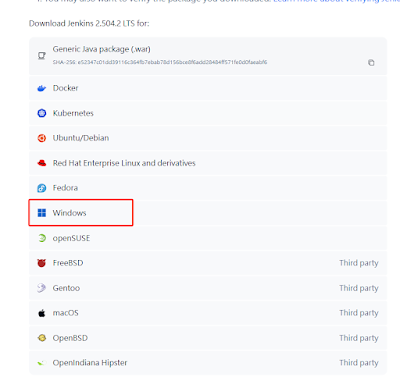
重新安裝vs2022桌面開發環境工具
93402-394pwj5xvx5.png

開始下載安裝
03284-xemnwtyl3m.png

安裝好之後就行了, 打包還是出問題
51331-72d7eh1jz7e.png

網上找了方案, 說是把下面這段加入項目就行

#if UNITY_EDITOR
using System;
using UnityEditor.Build;
using UnityEditor.Build.Reporting;
public class MsvcStdextWorkaround : IPreprocessBuildWithReport
{
    const string kWorkaroundFlag = "/D_SILENCE_STDEXT_HASH_DEPRECATION_WARNINGS";
    public int callbackOrder => 0;
    public void OnPreprocessBuild(BuildReport report)
    {
        var clEnv = Environment.GetEnvironmentVariable("_CL_");
        if (string.IsNullOrEmpty(clEnv))
        {
            Environment.SetEnvironmentVariable("_CL_", kWorkaroundFlag);
        }
        else if (!clEnv.Contains(kWorkaroundFlag))
        {
            clEnv += " " + kWorkaroundFlag;
            Environment.SetEnvironmentVariable("_CL_", clEnv);
        }
    }
}
#endif // UNITY_EDITOR

這個問題在版本 Unity 2020.3.42f1, 2021.3.14f1, 2022.1.23f1, 2022.2.0b16 and 2023.1.0a19.修復

[https://forum.unity.com/threads/unity-2022-1-22f1-with-il2cpp-not-working.1359580/][1]

將轟炸超人從 gui 系統改成使用 sprite rendere 過程中遇到不少問題, 圖片 PPU 設定為 100
25108-ajerx3kbff7.png

Camera size設定為3.6,原本是在 1280x720比例下製作, Camera 場景Y軸高度預設為 11~12 個 Chunk , Camera size 代表著 Y軸高度的一半, 所以設計為 0.5 x 720 = 360, 因為PPU為100, 所以 Camera.size = 360/100 = 3.6
03065-jh5dkx32d1o.png

編輯器下結果
79742-ixsdexiitfa.png

遊戲執行出來的效果
75417-djttkdpukkv.png

場景裝飾物件調整位置, 這張背景圖大小 1440 x 960, 所以物件位置在 0.5 x 1440 = 720 / 100 = 7.2
57605-bbe95xluho6.png
94084-a7hpgwjyj7.png

另外 sprite renderer 的 width、height 沒有效果的, 所以改為 (0, 0), 另外把 ugui tiled 模式改成 Continuous 模式, Height 設定為 4.8, 因為 scale = 5 所以 tiled 高度為 0.5 x 960 = 480 / 100 = 4.8。
13924-4yuyjabqmzm.png

另外 sprite render 顯示層級是依靠 position.z 決定的, 值越小顯示層級越高, 在地圖邊緣用了兩個插件物件, 樹木跟樹葉底, 這時候就要設定posZ值了, 將樹木 posZ 設定為 -1
84992-buyohgvkxl.png
53710-6ojpw4ujman.png

在編輯器裡面有很多非常大的框, 這是文字的 transform 沒有對應修改, 把 width, height 改成(0.6, 0)
28005-vha62iqvh7.png
35051-o5of8duwji.png
28413-sfgw6ix7gbe.png

使用spine二進制格式, 勾選導出二進制並勾選紋理打包
93618-v9e9m7yj74n.png

將 .skel 改為 .skel.bytes, .atlas 改為 .atlas.txt 複製到 unity
71823-ynr7mp8vlo.png

unity會生成對應 SkeletonData
66608-atpi7mk5wgj.png
28829-gkguk4icth.png

導入unity之前需要安裝 spine-unity runtime, 下載地址如下
https://zh.esotericsoftware.com/spine-unity-download

※ 如果 spine 導出 json 格式, 只要把 .atlas 改成 .atlas.txt 就行了

QA1. 導入spine資源出現白邊
06336-mj04rxrs3c.png

點 S_Character_01_Material 將 Straight Alpha Texture 打勾就好了
57134-iwvsecozwgg.png

測試了 spine 導出 Premultiplied Alpha (PMA) 效果
64978-d9ubwnl9ucl.png

pma效果會有明顯的外邊, 但有的看起來會奇怪
42450-fa0uwa1zdq.png
01134-jrt77vp49m8.png

※ Texture 打包器启用 Premultiply alpha
Unity Texture 设置中禁用 sRGB (Color Texture) 和 Alpha Is Transparency ,
Unity Material 参数中禁用 Straight Alpha Texture

※Texture 打包器禁用 Premultiply alpha , 启用 Bleed
Unity Texture 设置启用 sRGB (Color Texture) 和 Alpha Is Transparency ,
Unity Material 参数中启用 Straight Alpha Texture

Unity 中獲取 TextMesh Pro, 點 Unity.Editor.asmdef 進行編輯
50197-bp33m2y6sou.png

搜索 TextMsh Pro 加入, 滑到下方點 Apply 套用
70570-jdz869wm4yd.png

切換到 Editor 腳本

using TMPro;

//get
transform.Find("Text_ID").GetComponent<TextMeshPro>().text = "123";

今天打包版本測試轟炸超人發現這個問題

StackOverflowException: The requested operation caused a stack overflow. at (wrapper managed-to-native) System.String.FastAllocateString(int) at System.String.CreateStringFromEncoding (System.Byte* bytes, System.Int32 byteLength, System.Text.Encoding encoding) [0x00013] in <c9d3ffd4b98649ee9989e1908eaca019>:0 at System.Text.Encoding.GetString (System.Byte* bytes, System.Int32 byteCount) [0x00033] in <c9d3ffd4b98649ee9989e1908eaca019>:0 at System.Text.Encoding.GetString (System.ReadOnlySpan1[T] bytes) [0x00013] in :0
at System.String.Ctor (System.SByte value, System.Int32 startIndex, System.Int32 length, System.Text.Encoding enc) [0x0006d] in :0
at System.String.CreateString (System.SByte
value, System.Int32 startIndex, System.Int32 length, System.Text.Encoding enc) [0x00000] in :0
at (wrapper managed-to-managed) System.String..ctor(sbyte,int,int,System.Text.Encoding)
at UnityEngine.StackTraceUtility.ExtractStackTrace () [0x0002c] in :0
at (wrapper managed-to-native) UnityEngine.DebugLogHandler.Internal_Log(UnityEngine.LogType,UnityEngine.LogOption,string,UnityEngine.Object)
at UnityEngine.DebugLogHandler.LogFormat (UnityEngine.LogType logType, UnityEngine.Object context, System.String format, System.Object[] args) [0x0000b] in :0
at UnityEngine.Logger.Log (UnityEngine.LogType logType, System.Object message) [0x00027] in :0
at UnityEngine.Debug.Log (System.Object message) [0x00006] in :0
at ETModel.Log.Debug (System.String msg) [0x00000] in G:\OlgCase\bbm\source\Unity_Web\Assets\Model\Base\Log.cs:14
at ILRuntime.Runtime.Generated.ETModel_Log_Binding.Debug_8 (ILRuntime.Runtime.Intepreter.ILIntepreter __intp, ILRuntime.Runtime.Stack.StackObject
esp, System.Collections.Generic.List`1[T] mStack, ILRuntime.CLR.Method.CLRMethod method, System.Boolean isNewObj) [0x0003a] in G:\OlgCase\bbm\source\Unity_Web\Assets\Model\ILBinding\ETModel_Log_Binding.cs:222
at (wrapper delegate-invoke) .invoke_StackObject_ILIntepreter_StackObject_List1<object>_CLRMethod_bool(ILRuntime.Runtime.Intepreter.ILIntepreter,ILRuntime.Runtime.Stack.StackObject*,System.Collections.Generic.List1,ILRuntime.CLR.Method.CLRMethod,bool)
at ILRuntime.Runtime.Intepreter.ILIntepreter.Execute (ILRuntime.CLR.Method.ILMethod method, ILRuntime.Runtime.Stack.StackObject esp, System.Boolean& unhandledException) [0x0387d] in G:\OlgCase\bbm\source\Unity_Web\Assets\ThirdParty\ILRuntime\ILRuntime\Runtime\Intepreter\ILIntepreter.cs:2219
at ILRuntime.Runtime.Intepreter.ILIntepreter.Execute (ILRuntime.CLR.Method.ILMethod method, ILRuntime.Runtime.Stack.StackObject
esp, System.Boolean& unhandledException) [0x03711] in G:\OlgCase\bbm\source\Unity_Web\Assets\ThirdParty\ILRuntime\ILRuntime\Runtime\Intepreter\ILIntepreter.cs:2173
UnityEngine.DebugLogHandler:Internal_LogException(Exception, Object)
UnityEngine.DebugLogHandler:LogException(Exception, Object)
UnityEngine.Logger:LogException(Exception, Object)
UnityEngine.Debug:LogException(Exception)
UnityEngine.<>c:b0_0(Object, UnhandledExceptionEventArgs)e
`

很明顯是出現了無限循環, 但不確定問題在哪, 測試了發現是 AIPlayer 造成的, 並且問題在尋路上

不知道為什麼這邊的計算公式如果設定 depth > 200 , 就會造成 depth = 39 就卡死

private void reCalcNonPath(int[,] matrixData, ref List<int[]> path, int bombCnt, int depth, int chunkH, int chunkW)
{
    if (path.Count <= 0){
        return;
    }
    int[] last = path[path.Count - 1];
    //
    if (depth > 30){
        return;
    }

改掉了就好了