使用Jenkins自動打包
把自己的 Jenkins 搞壞了,只好再復習一次流程
一、安裝部署 Jenkins
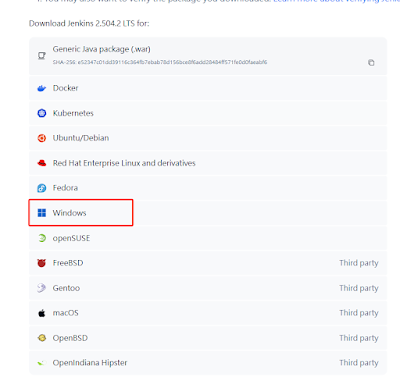
到官網下載jenkins安裝檔案
有很多平臺支持版本,我選擇的是windows版本
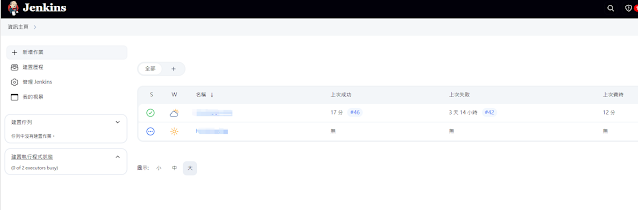
安裝好之後,jenkins預設在 http://localhost:8080/ 開啓,畫面如下
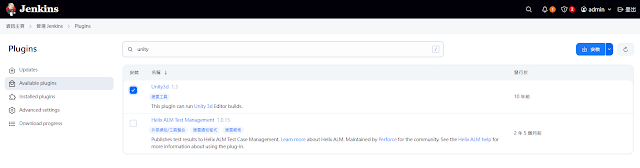
進入 管理Jenkins -> plugin -> Ava xxxx -> 輸入 unity ,安裝
進入 管理Jenkins -> Tools , 拉到最下方選擇 plugin,要先安裝 unity
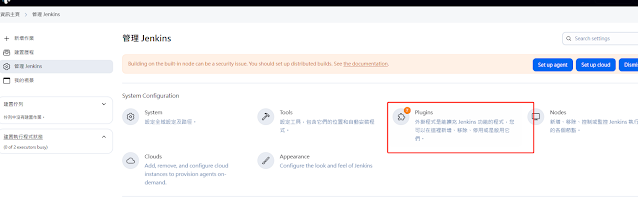
切換到 Avaliable ,搜索 Unity,我這邊已經安裝好了,所以是切換到 Installed
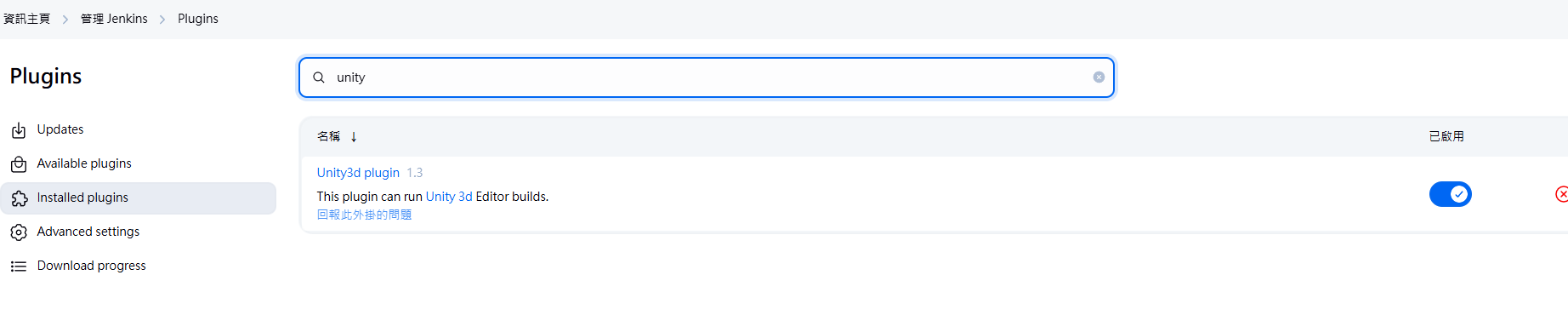
再進入 管理Jenkins -> Tools -> Tools,找到 unity3d 進行配置,如下:
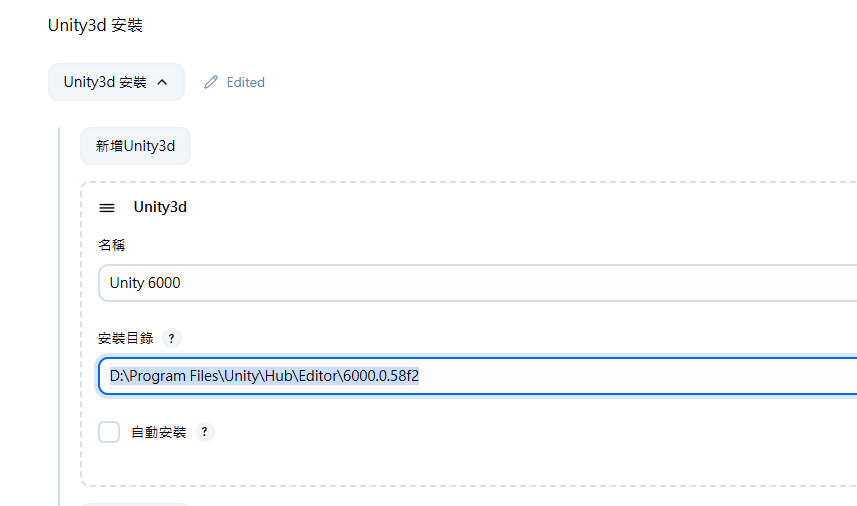
設定好 unity 安裝目錄,點 save,配置如下:
D:\Program Files\Unity\Hub\Editor\6000.0.58f2
二、建立打包作業
回到首頁,點 新增作業
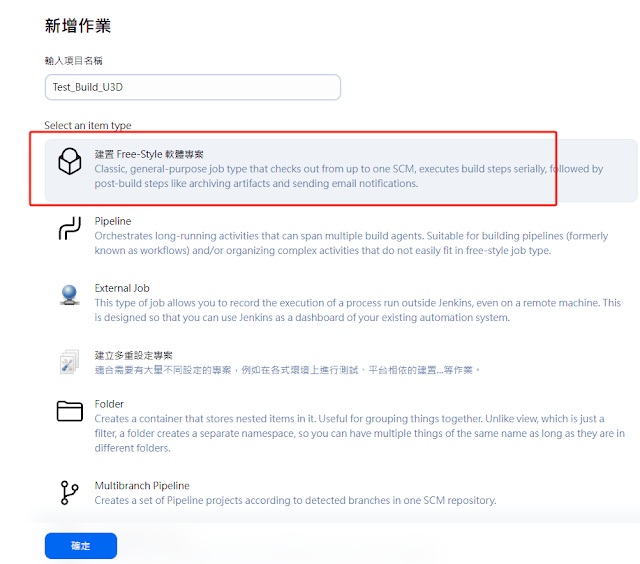
輸入好名稱跟選擇 Free Style Project, 點確定
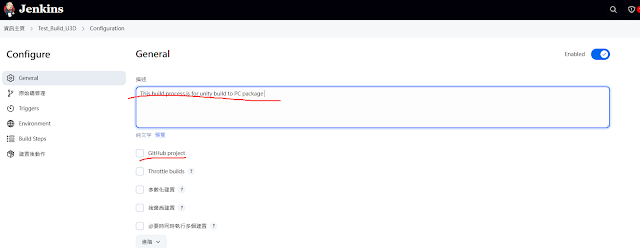
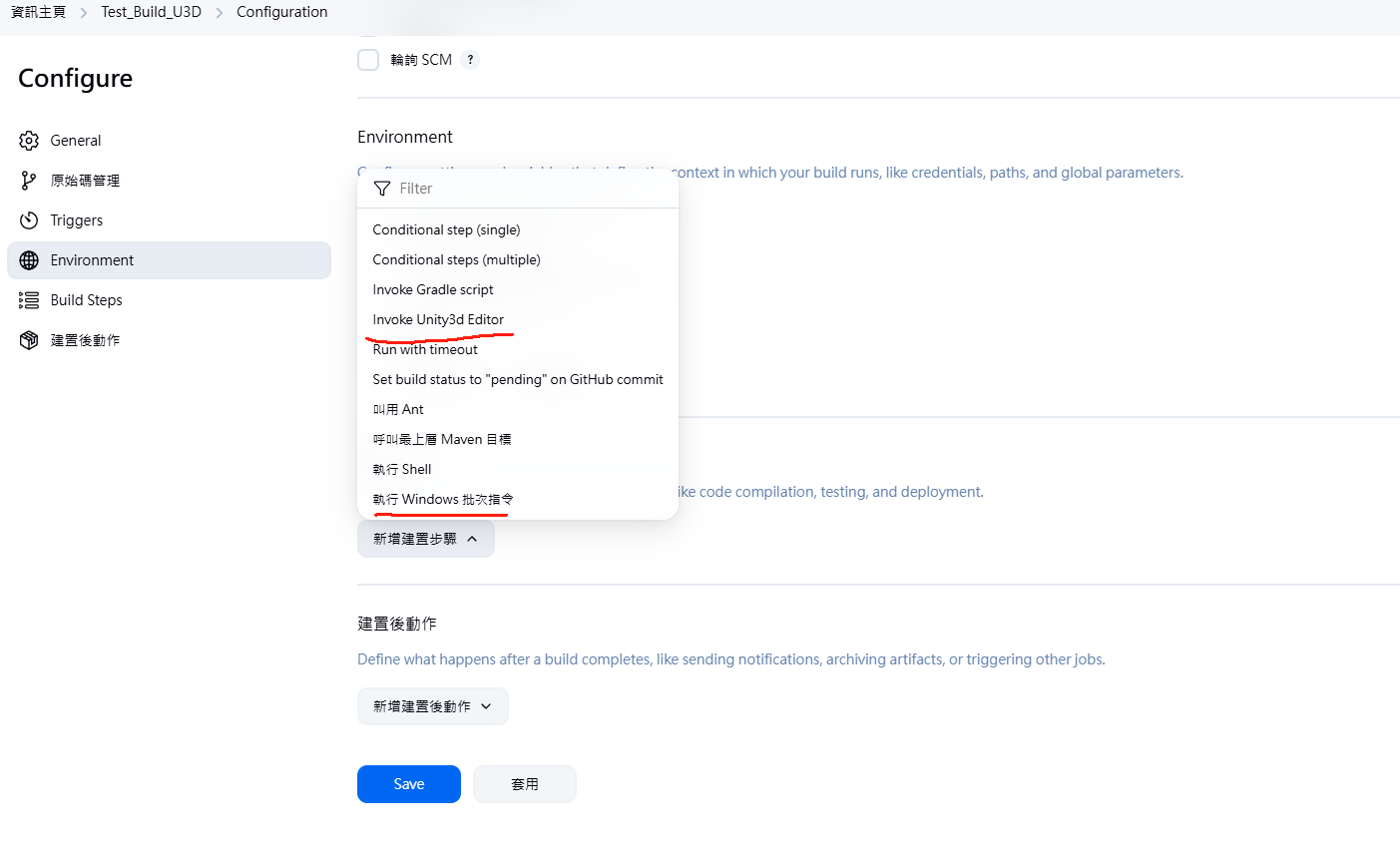
輸入項目内容,本身可以設定github,但這裏我們沒用到,在新增建置步驟裏面有 windows batch command 跟 unity3d invoke
在建置后流程可以加入郵件通知或是github相關功能
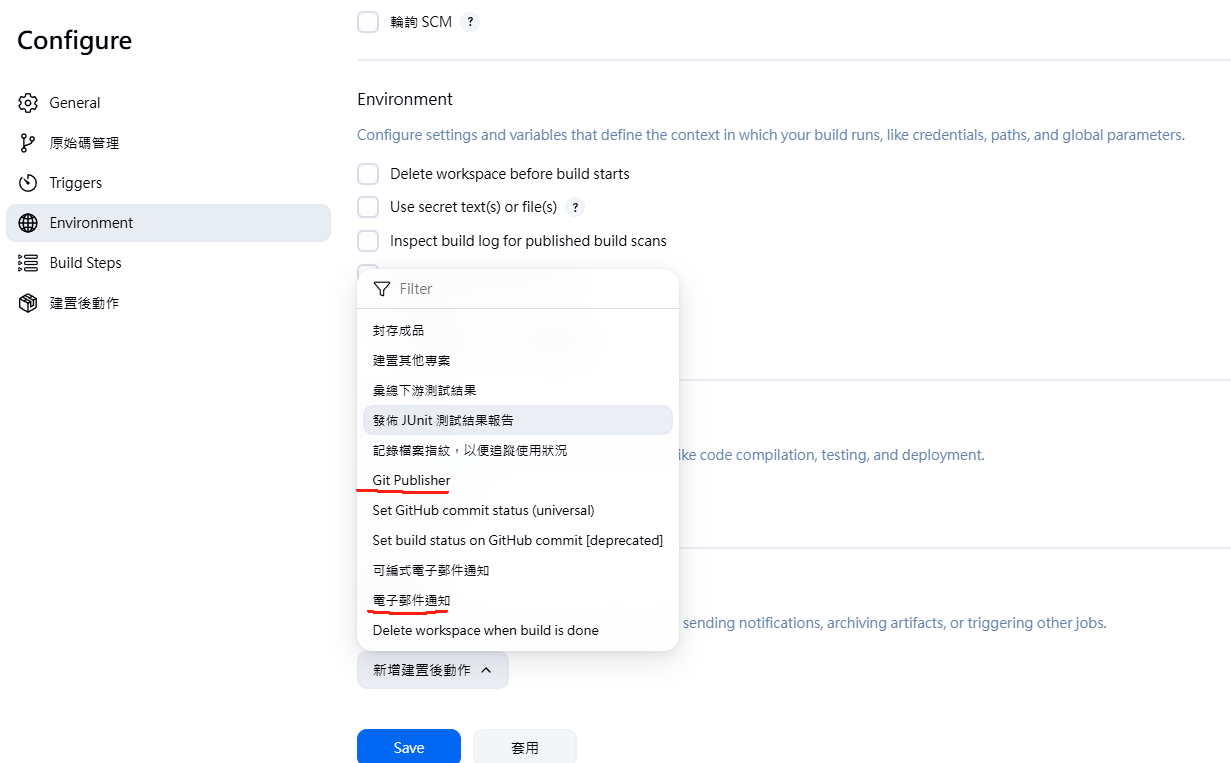
這樣一個簡單的建置作業就加好了
三、特殊設定
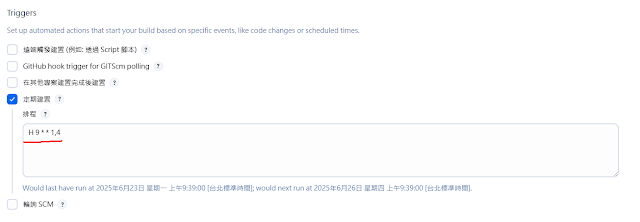
我們可以設定周期性打包來定時確認項目狀況
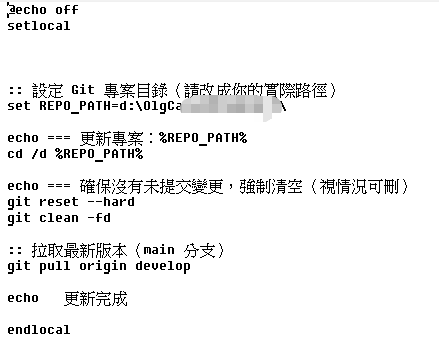
然後呼叫了 windows batch command 更新git上面最新的版本

還原本地修改,并且更新git上面版本
再來,執行unity打包流程
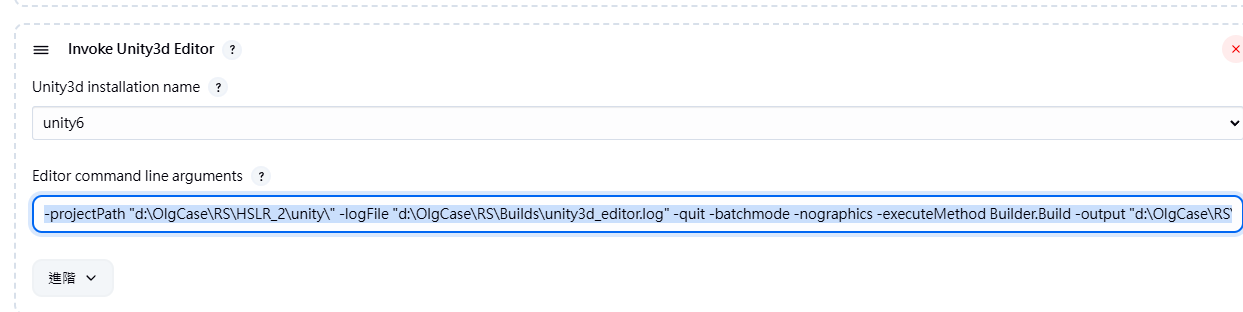
-projectPath "d:\OlgCase\RS\???_5\unity\" -logFile "d:\OlgCase\RS\Builds\unity3d_editor.log" -quit -batchmode -nographics -executeMethod Builder.Build -output "d:\OlgCase\RS\Builds\HSLR.exe"
最後,把打包出來的windows exe打包后放到file server

NOTE. 在打包時不能開著unity3d項目,在打包過程中可以點這裏查看實際狀況
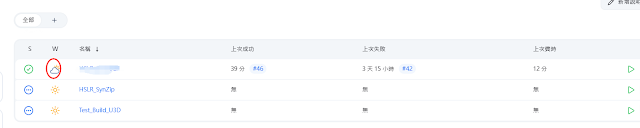
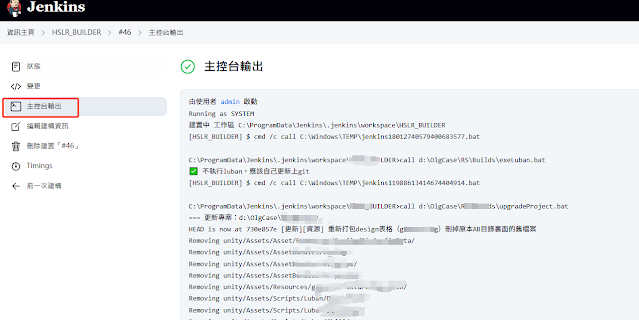
問題1、
Piping unity Editor.log from C:\Users\joker0820\AppData\Local\Unity\Editor\Editor.log
[hslr] $ "D:\Program Files\Unity\Hub\Editor\6000.0.58f2\Editor\Unity.exe" -projectPath "d:\OlgCase\RS\HSLR_5\unity\” -logFile d:\OlgCase\RS\Builds\unity3d_editor.log -quit -batchmode -nographics -executeMethod Builder.Build -output ”d:\OlgCase\RS\Builds\HSLR.exe"
Full dialog message :
...
[Licensing::Module] Successfully connected to LicensingClient on channel: "LicenseClient-joker0820" (connect: 0.00s, validation: 0.00s, handshake: 0.03s)
[Licensing::IpcConnector] Successfully connected to: "LicenseClient-joker0820-notifications" at "2026-05-13T07:07:35.0126906Z"
[Licensing::Module] Error: Access token is unavailable; failed to update
[Licensing::Client] Successfully resolved entitlement details
[Licensing::Module] License group:
  Id: SC-TNYC-JGZF-PGTY-NDAJ-XXXX
  Product: Unity Pro
  Type: ULF
  Expiration: 2026-07-09T00:00:00Z
[Licensing::Module] License group:
  Id: ewogICJzdWJzR3JvdXAiIDogInVuaXR5IGVkaXRvciIsCiAgIm5hbWVzcGFjZSIgOiAidW5pdHlfZWRpdG9yIiwKICAidHlwZSIgOiAiRURJVE9SIiwKICAidGFnIiA6ICJVbml0eVBlcnNvbmFsXXXX
  Product: Unity Personal Version
  Type: Assigned
  Expiration: Unlimited
[Licensing::Client] Successfully updated license, isAsync: True, time: 0.00
[Licensing::Module] Licensing Background thread has ended after 0.04s
[hslr] $ cmd /c call C:\Users\JOKER0~1\AppData\Local\Temp\jenkins611795234820734689.bat

C:\Users\joker0820\.jenkins\workspace\hslr>exit 0
Finished: SUCCESS
看了老半天,結果是在Tools設定中不小心把雙引號輸入成全形的,所以一直沒有進入正常編譯
It looks like another Unity instance is running with this project open.
Multiple Unity instances cannot open the same project.
Project: D:/OlgCase/RS/HSLR_5/unity
Fatal Error!
Crash!!!
...
[Licensing::IpcConnector] LicenseClient-joker0820 channel disconnected successfully.
AcceleratorClientConnectionCallback - disconnected - :0
Cleanup mono
abort_threads: Failed aborting id: 000000000000FAC0, mono_thread_manage will ignore it

abort_threads: Failed aborting id: 000000000000B9DC, mono_thread_manage will ignore it

abort_threads: Failed aborting id: 000000000000FAC0, mono_thread_manage will ignore it

abort_threads: Failed aborting id: 000000000000B9DC, mono_thread_manage will ignore it

debugger-agent: Unable to listen on 3076
Exiting batchmode successfully now!
Exiting without the bug reporter. Application will terminate with return code 0