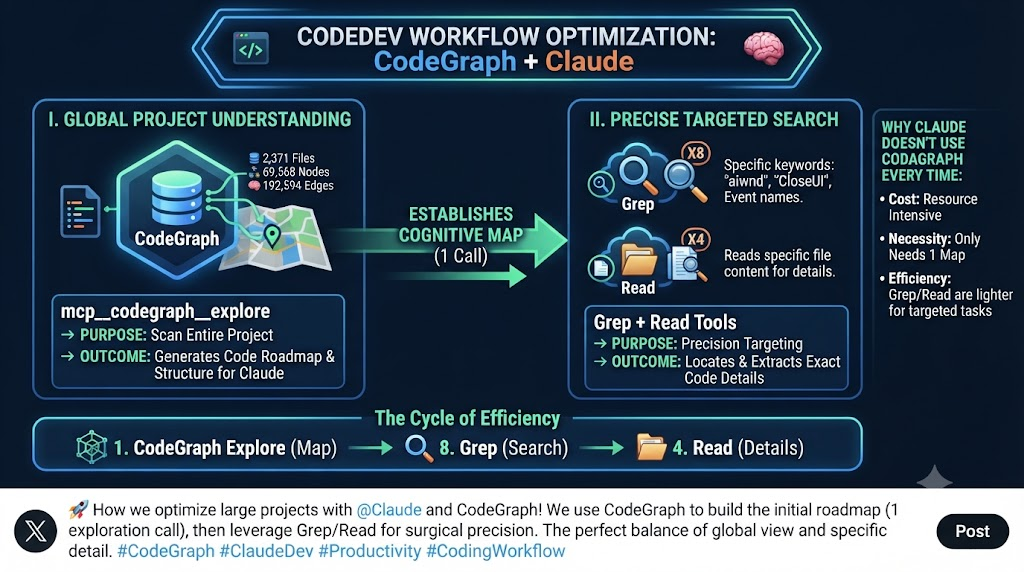
CodeGraph 實戰心得:用「地圖導航+精確搜索」提升 Claude Code 程式碼理解效率
以下將 codegraph 納入實際項目運作查看使用效益
$ (py3.10) D:\OlgCase\RS\HXXR_3>codegraph init
┌  Initializing CodeGraph
│
◆  Initialized in D:\OlgCase\RS\HXXR_3
|
|  * Scanning files - 2,371 found
|  * Parsing code - done
|  * Resolving refs - done
│
◆  Indexed 2,371 files
│
●  69,568 nodes, 192,594 edges in 53.1s
│
└  Done
$ (py3.10) D:\OlgCase\RS\HXXR_3>codegraph status
CodeGraph Status

Project: D:\OlgCase\RS\HXXR_3

Index Statistics:
  Files:     2,371
  Nodes:     69,568
  Edges:     192,594
  DB Size:   147.56 MB
  Backend:   node:sqlite - built-in (full WAL)
  Journal:   wal

Nodes by Kind:
  method          25,000
  field           16,000
  import          8,000
  enum_member     3,000
  property        3,737
  class           3,500
  constant        2,515
  file            2,365
  namespace       1,581
  struct          527
  enum            421
  variable        276
  function        253
  interface       207

Files by Language:
  csharp          2,285
  python          42
  xml             14
  javascript      12
  php             10
  yaml            6
  c               1
  objc            1

[OK] Index is up to date
進入項目后提出需求給 cc
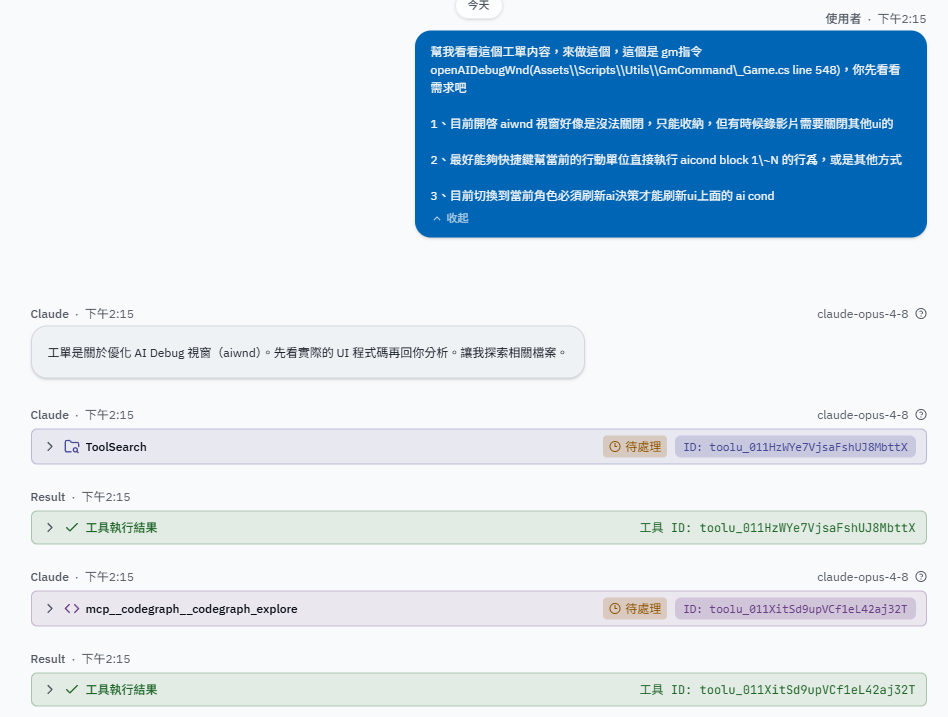
cc先是透過llm分析出 keyword,然後查詢 codegraph 可用工具,再將關鍵詞輸入給codegraph
"query": "UIAIDebugMenu AIDebugMenu aiwnd close hide AICondBlock refresh ai decision"
對話内容如下:
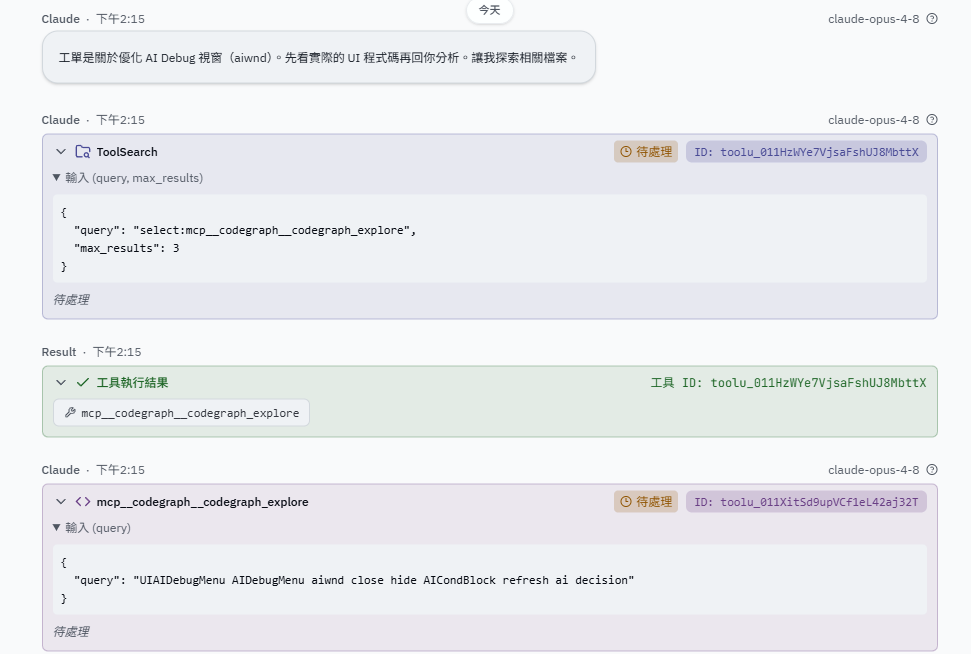
後續都是 Grep、Read ,如圖:
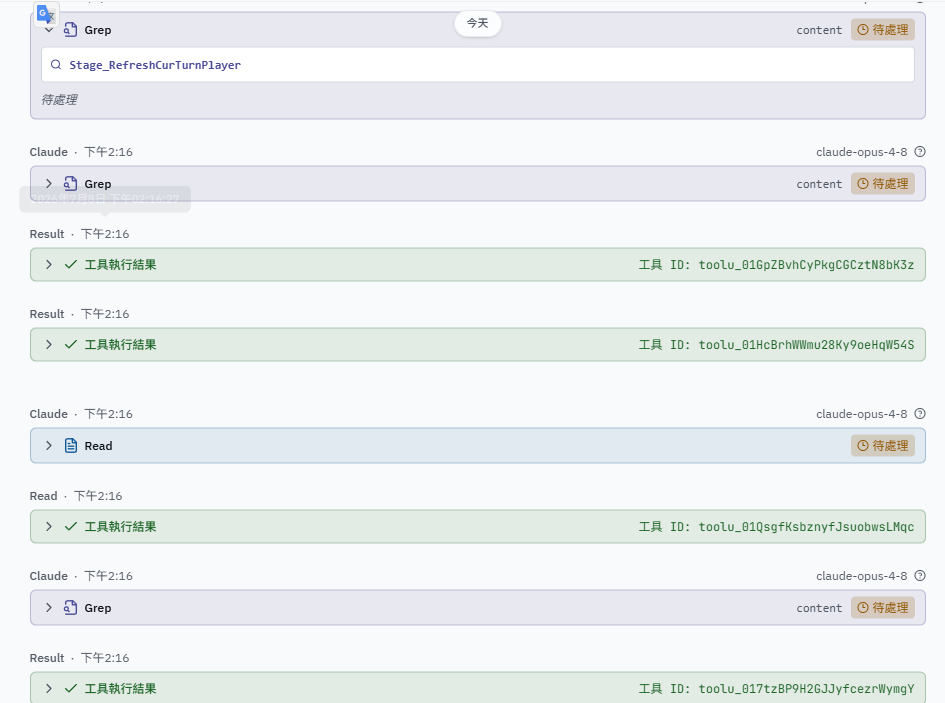
codegraph 的實際使用流程并不是全面替代 grep、read,而是將項目 code roadmap 查找出來
先用 codegraph 做「地圖導航」
用戶提出需求
    ↓
mcp__codegraph__codegraph_explore  ← 只用一次
    ↓
目的:快速了解整個專案結構
    "讓我先知道這個 codebase 長什麼樣"
codegraph 的作用是給 Claude 一個高層次的程式碼地圖,知道哪些檔案、哪些 class、哪些 function 存在。
再來用 Grep + Read 做「精確搜索」
已知地圖後
    ↓
Grep × 8  ← 搜尋具體關鍵字(如 "aiwnd", "CloseUI", 事件名稱)
Read × 4  ← 讀取找到的具體檔案內容
後面因爲 Claude 已經知道方向了,就不需要再用 codegraph,改用更精準、更輕量的工具。
本質差異
| 工具 | 用途 | 比喻 |
|---|---|---|
| codegraph | 理解整體結構、依賴關係 | 看地圖 |
| Grep | 搜尋特定字串/pattern | 用關鍵字查字典 |
| Read | 讀取完整檔案內容 | 打開具體頁面閱讀 |
沒有全部使用 codegraph 的原因大概也是如下:
codegraph 執行成本
每次呼叫需要分析程式碼結構,在 CPU、IO 上比 grep 慢且耗資源。
必要性
第一次 codegraph 已給出足夠的「索引」,後續只需要針對性搜尋。
Claude 的工具選擇策略
不確定結構  →  codegraph(掃描全局)
已知方向    →  grep(精確定位)
找到目標    →  read(深入閱讀)
如下是 Claude 的工作流程:
codegraph(1次)→ 建立認知地圖
    ↓
grep(8次)→ 精確定位關鍵程式碼
    ↓
read(4次)→ 深入理解細節