Cocos 構建 error Java executable not found at
建構資源打包到 app 後發現個問題, 遊戲啟動就黑屏, 看了日誌如下

沒看出甚麼問題重新打個包, 發現一個奇怪的錯誤, 但之前都是這樣打包也沒注意這個情況

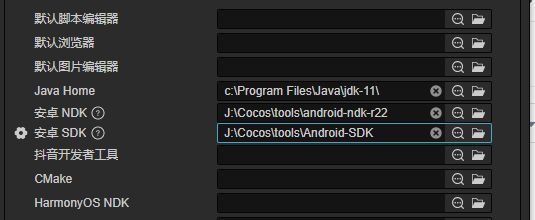
查看了系統配置, JAVA_HOME、PATH 都是正常的, 改其他版本 Java 也沒用, 最後發現 Cocos
這個配置是配置到 java 安裝目錄而不是 bin 目錄, 修改如下就好了
建構資源打包到 app 後發現個問題, 遊戲啟動就黑屏, 看了日誌如下
沒看出甚麼問題重新打個包, 發現一個奇怪的錯誤, 但之前都是這樣打包也沒注意這個情況
查看了系統配置, JAVA_HOME、PATH 都是正常的, 改其他版本 Java 也沒用, 最後發現 Cocos
這個配置是配置到 java 安裝目錄而不是 bin 目錄, 修改如下就好了
打包 apk 測試遇到奇怪的問題,
[ERROR]: E/ ERROR: Uncaught TypeError: Error 6903, please go to https://github.com/cocos-creator/engine/blob/develop/EngineErrorMap.md#6903 to see details., location: src/cocos-js/cc.js:0:0官網說這是資源加載有問題, 測試了確定不是加載不到, 是在後續流程使用clone出錯
public static createEffect(path: any, cb: any, parent: any) {
    this.loadRes("/gamePackages/effects/" + path, Prefab, function (err: any,
        prefab: any) {
        if (err) {
            cb('err', null);
            return;
        }

        //實際是這裡出錯
        var node = instantiate(prefab);
        if (!parent) {
            parent = find("Canvas");
        }

        parent.addChild(node);
        cb(null, node);
        });
    }
測試了發現instantiate(prefab) 有問題, prefab載入的並非是prefab資源
public static loadRes(url: string, type: any, cb: Function = () => { }) {
        resources.load(url, (err: any, res: any) => {
            if (err) {
                error(err.message || err);
                cb(err, res);
                return;
            }
        cb && cb(null, res);
    })
}
由於 BonusTime.Prefab 跟 BonusTime.anim 原本在同一個層級目錄所造成的, resources.load 加載到的是 animation 資源
後來把 BonusTime.anim 改名成 BonusTimeaAim.anim 結果發現 animation.on("finished" 在動畫結束後調用沒有正常調用, 查看了下 animation 配置, 估計是因為修改了命名造成
代碼裡是這樣撥放的
let ani = node.getComponent(Animation);
ani.play('bonusTime');
ani.once(Animation.EventType.FINISHED, () => {
    node && node.destroy();
    callback(null);
 }, this);
後來把命名改回去, 拆分到不同目錄才解決問題
後來測試發現轉盤點Start會卡死, 看了看日誌也沒發現問題在哪
看了下代碼, 因為轉盤很單純的, 後來去排查老版本發現也有問題, 那就不是替換造成的了, 查了裡面的animation發現有missing, 把 animation.play 關閉後就好了
今天用了animaiton編技能效果, 上次使用已經是 2013年的時候了, 測試了下就上手, 但奇怪的是 image.sprite 的更改一直無效, 可以看到 image.sprite 上面已經紀錄了不同 frame 下的 sprite, 但 run 起來就是無效
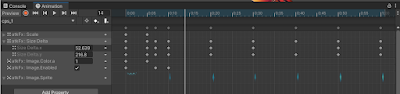
查了下發現不能用老版 animation 必須改用 animator, 因為 ugui.image 是在老版後面才出現的功能, unity 沒有回頭去更新 animation 功能, 下面我們就來新增新版本試試看
老版本跟新版本區別在創建流程不同跟添加 component 不一樣
老版本是在 GameObject 新增 Animation Component, 然後開啟 Windows -> Animation -> Animation, Create 新增 Animation Clip, 這樣就是使用 animation 運行
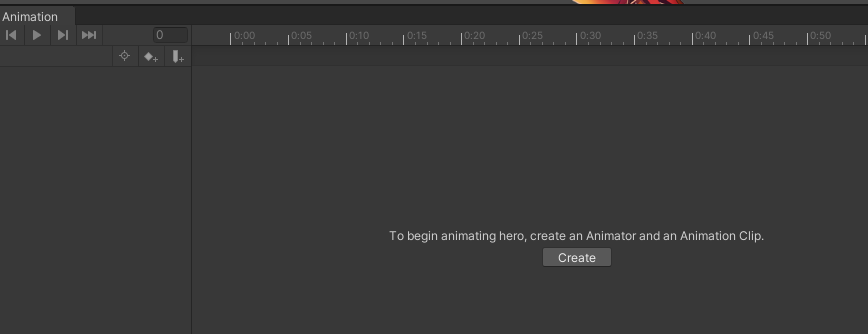
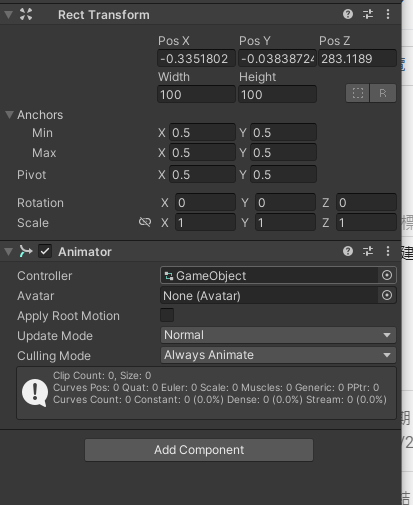
如果要搭配 animator, 則 GameObject 無須新增, 直接開啟 Windows -> Animation -> Animation, Create 新增 Animation Clip, 查看 unity 會新增 animation clip 跟 animation controller 兩個檔案並且 GameObject 是新增了 Animator Component, 在這個情況下去編輯 Image.Sprite 就正常
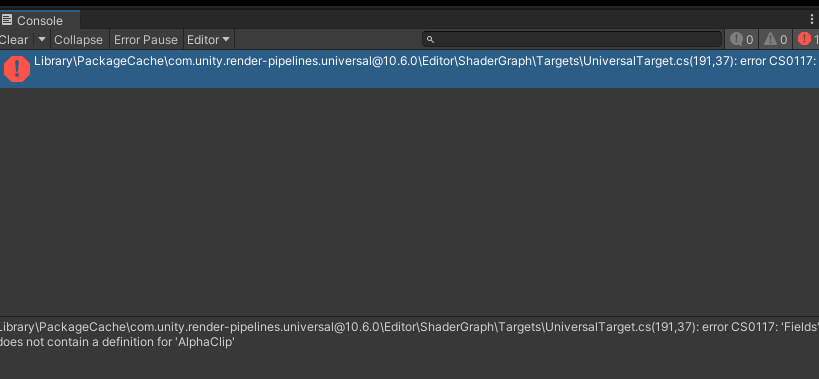
測試某個插件導入到項目中出現問題, 一般這個問題是因為版本不匹配造成的, 因為直接比對了兩項目的 package 將差異 "com.unity.render-pipelines.universal": "10.6.0", 加入目前項目就出現這個問題
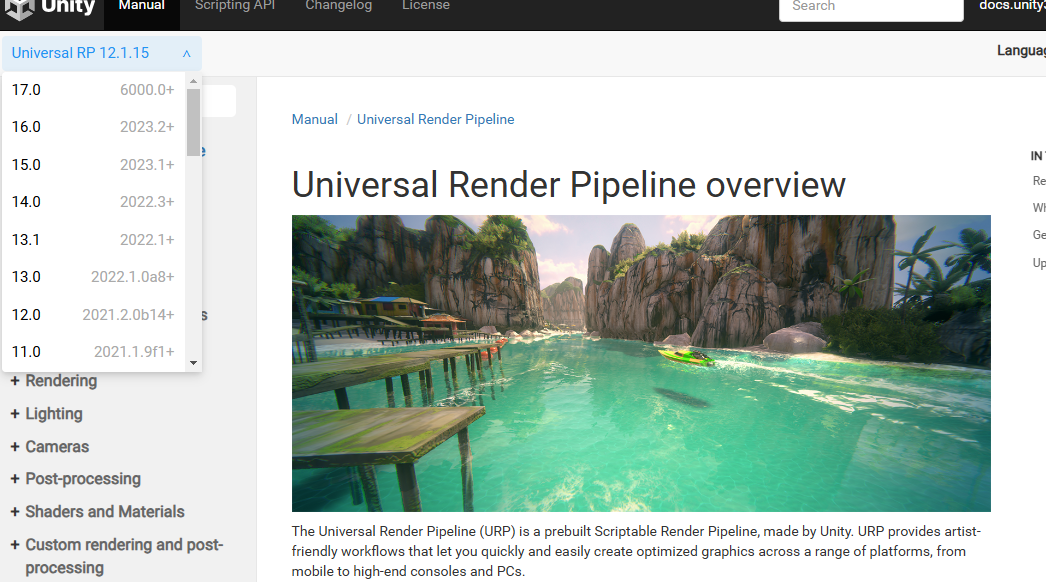
需要查詢 com.unity.render-pipelines.universal 對應 unity 版本, 在官網的插件中選擇版本下拉清單可以查看到對應 unity 版本
隨便改成了 12.0.0 版本, 目測服務器沒有這個版本

查看 Package Manager 顯示是 not found
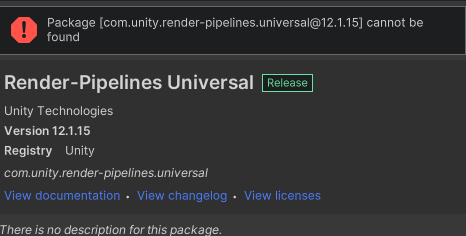
再切回去官網查目前最新 12.1.15, 但還是 not found

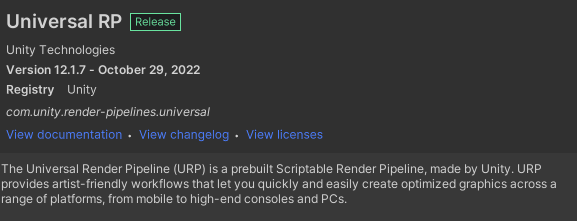
後來打開 Package Manager 查詢支持, 名字是 Universal RP, 版本 12.1.7 執行 import
import 完成後出現錯誤, 場景變紫色
Shader error in Couldn't open include file 'Packages/com.unity.render-pipelines.universal/ShaderLibrary/Core.hlsl'. at line 59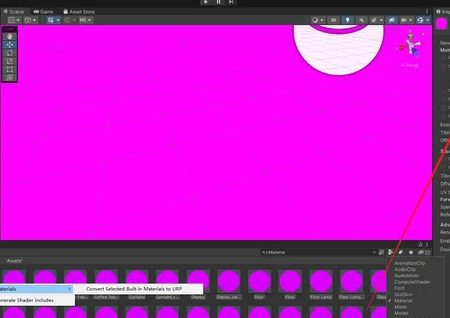
這是URP升級造成的, 生成一個URP Asset如下
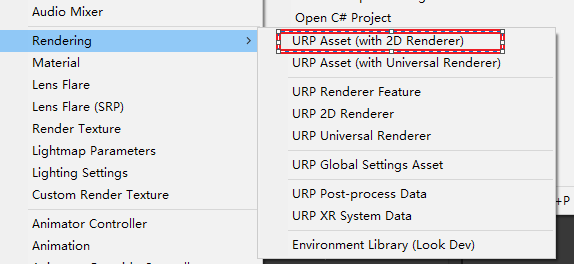
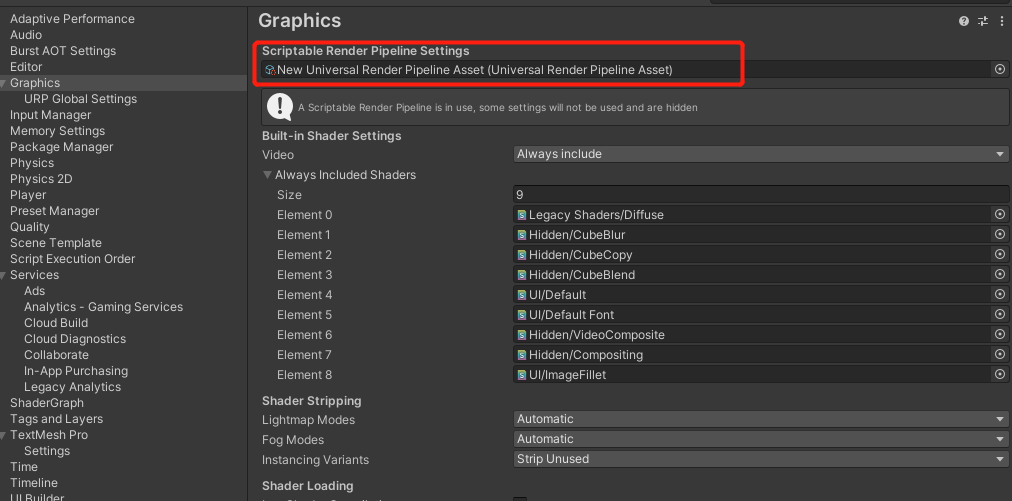
開啟 Player Settingg -> Graphics, 將 URP Asset 拖拉近來, 再回到場景就好了
參考:
https://docs.unity3d.com/Packages/com.unity.render-pipelines.universal@12.1/manual/index.html
https://blog.csdn.net/q764424567/article/details/133927994
由於電腦轉換了編碼為 utf 發現 vs 打開後不少檔案出現轉換提示, 可能是原本開發時直接在 vs 中新增 .cs 文件的緣故, 因為不透過 unity 新增 .cs 文件估計是參考系統編碼, 所以不少文件編碼都是 ascii 格式, 為了解決這個問題弄了個批量轉換工具, 大致如下吧
需要先安裝 chardet 工具
$ pip install chardet 代碼如下:
import os
import chardet

root_path = r"g:\OlgCase\bbm\source\Unity\Assets\Hotfix"
count = 0
for path, subdirs, files in os.walk(root_path):
for name in files:
    if not name.endswith('cs'):
        continue
    fn = os.path.join(path, name)

    print(fn)
    f = open(fn, mode='rb')
    content = f.read()
    f.close()
    result = chardet.detect(content)

    if result['encoding'] == None:
        print('error')
        continue

    print(result)
    if (result['encoding'] != 'UTF-8-SIG' and
     result['encoding'] != 'UTF-8' and
     result['encoding'] != 'utf-8'):

        print('process, encoding:' + result['encoding'] + ", fn:" + fn)
        if result["encoding"] == "GB2312":
            result["encoding"] = "GBK"
        with open(fn, "w", encoding="UTF-8-SIG", newline='\n') as file:
            line = str(content, encoding = "GBK")
            print(line)
            file.write(line)
            count +=1
            file.close()

print("轉換檔案數",count)