Jkeeper 发布的文章

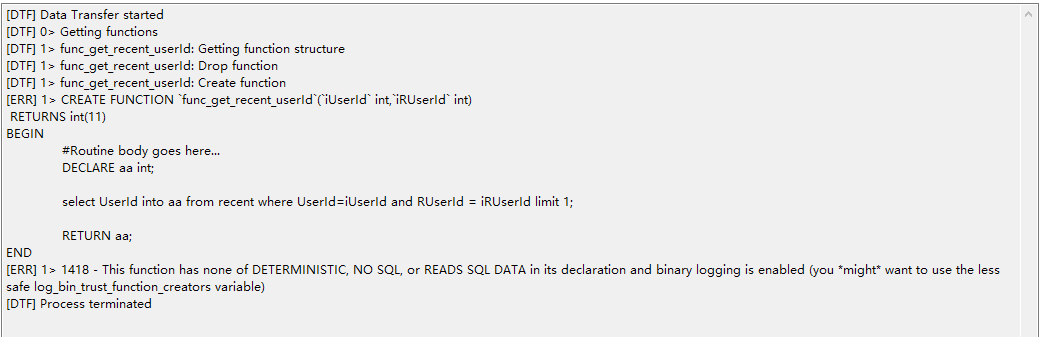
今天在同步本地sql到gcp mysql時發生了這個錯誤
09204-2k2k1p28o5z.png

[ERR] 1> 1418 - This function has none of DETERMINISTIC, NO SQL, or READS SQL DATA in its declaration and binary logging is enabled (you might want to use the less safe log_bin_trust_function_creators variable)

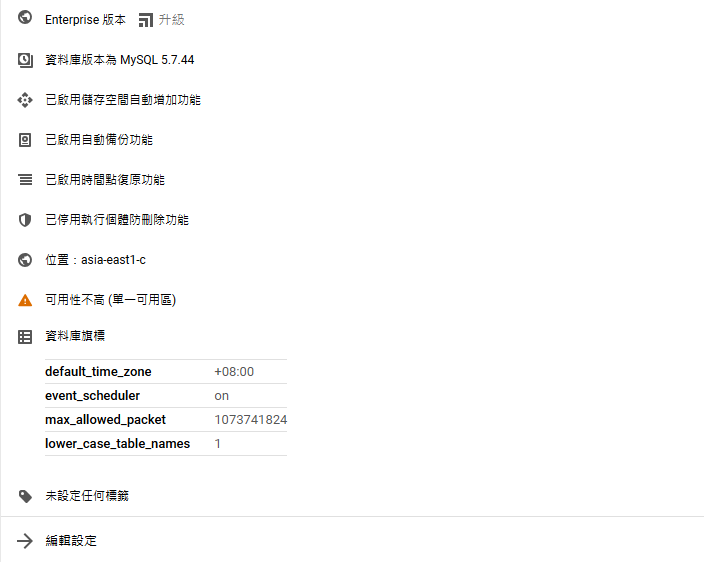
切換到 gcp sql
28495-7e6p4m3wz9f.png

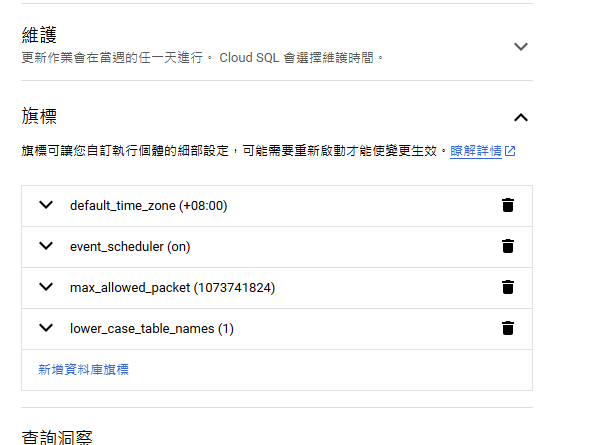
選擇編輯設定, 在下面新增flag
04659-33er7l5z03p.png

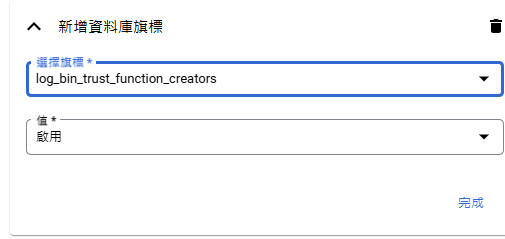
新增對應flag, log_bin_trust_function_creators 確認後保存。
57399-66o2o9vkhom.png

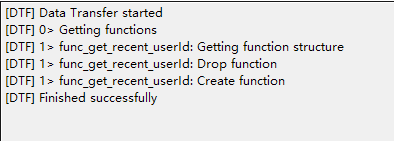
最後在執行一次同步, 可以了。
12084-c29s8yqarra.png

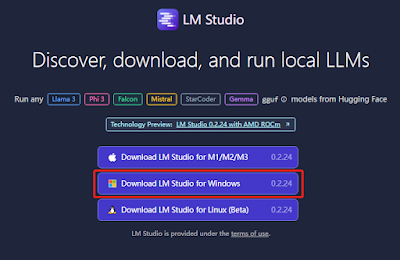
前往官網下載 windows 版本

https://lmstudio.ai/
29458-kpk5u9nn19.png

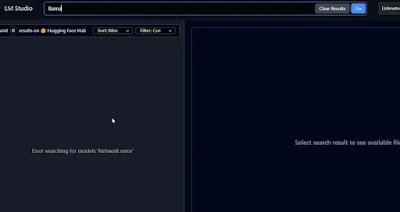
安裝後執行, 切換到 Search, 搜索後出現 network error
44282-txirqxvz9ko.png

切換到安裝目錄下, 搜索 HuggingFace.co 替換成 hf-mirror.com
48028-zg983fvq8ro.png

https://hf-mirror.com/
43406-zza50654atr.png

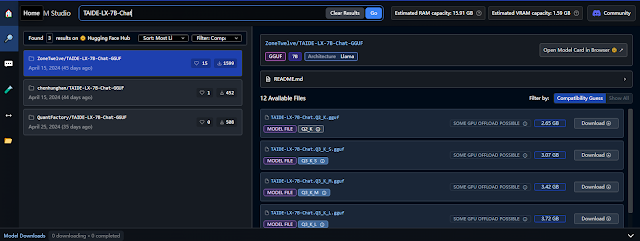
重啟 Lm Studio 搜索 TAIDE-LX-7B-Chat 出現結果了
85205-4jyi3qljih5.png

點下載
TAIDE-LX-78-Chat.Q2_K.gguf

另外, 我把下載 model 修改掉了, 具體切換到 My Models 分頁, 點 Change 修改目錄
97488-ltln1dzi45o.png

可以看到已經在下載了
82292-0rgwxgy2po2.png

把 cocos creator 2.4 項目 export 到目前項目發現 cocos creator 開啟就卡在讀取中

2024-05-28T18:22:26.151Z - success: wechatgame loaded2024-05-28T18:22:26.168Z - success: xiaomi-runtime loaded2024-05-28T18:22:26.572Z - success: im-plugin loaded2024-05-28T18:22:27.776Z - info: Cocos Service load base data!2024-05-28T18:22:28.381Z - normal: Initializing Cocos2d2024-05-28T18:22:28.794Z - normal: Initializing engine extends

項目開啟卡在 extends, 之前有遇過就是腳本問題, 分批把資源跟腳本分開匯入發現是腳本問題

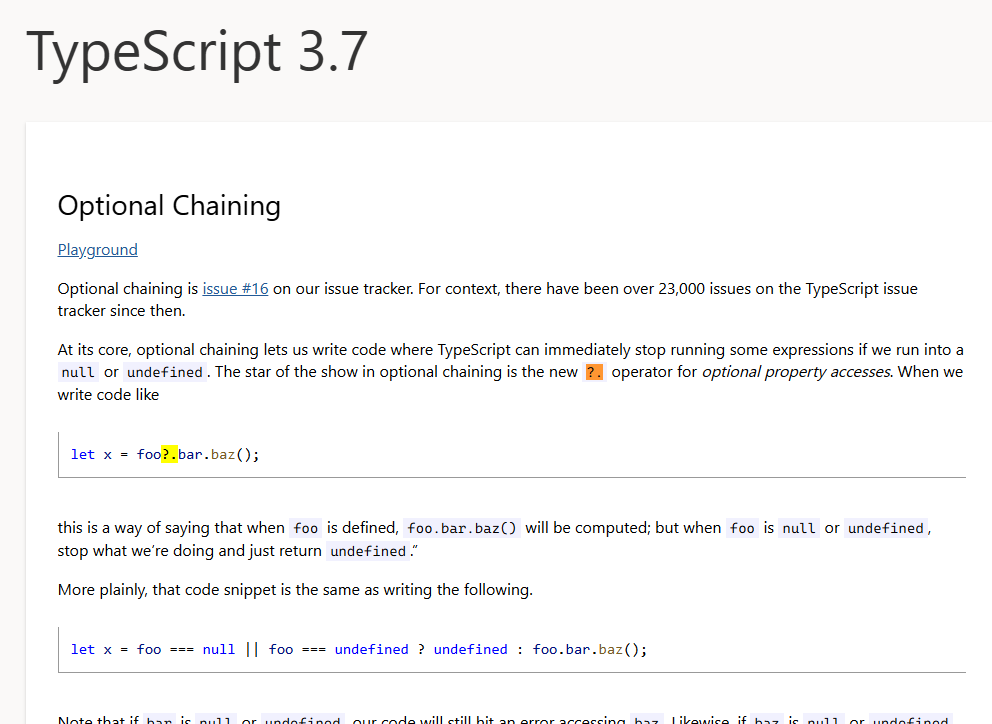
//typescript 3.7 support 

this.level = data?.level || 1

//改成這個寫法就好了

this.level = data?data.level || 1:undefined

https://www.typescriptlang.org/docs/handbook/release-notes/typescript-3-7.html
Optional Chaining 在3.7版本的說明
61872-a1xmg8jxgli.png

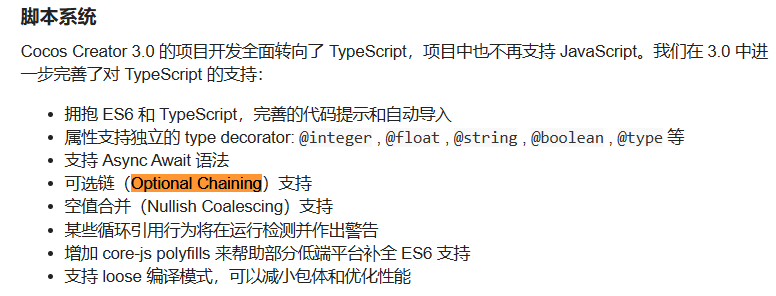
從 Cocos Creator 論壇看到功能在 3.0 才支持, 不知道為什麼原始項目卻能跑
50610-4r9wjgd5bb2.png

使用 nuget 安裝 StackExchange.Redis 套件
連線方式

ConfigurationOptions options = new ConfigurationOptions
{
    EndPoints = { { "127.0.0.1", 6379 } },
};
ConnectionMultiplexer muxer = ConnectionMultiplexer.Connect(options);
IDatabase conn = muxer.GetDatabase(1);

設定string數據

conn.StringSet("name", "chung  chen");
string name = conn.StringGet("name");

//get value async
var pending = conn.StringGetAsync("name");
string value2 = conn.Wait(pending);

HashSet

var list = new List<User>{
    new User { Index = 1, Name = "立白" },
    new User { Index = 2, Name = "妄为" },
    new User { Index = 3, Name = "毒妇" }
    };
foreach (var item in list){
    var hashEntries = new HashEntry[]{
        new HashEntry("ID", item.Index),
        new HashEntry("Name", item.Name)
    };
    conn.HashSet("User_" + item.Index.ToString(), hashEntries);
}

Subscribe

ISubscriber sub = muxer.GetSubscriber();
sub.Subscribe("messages", (channel, message) => {
    Log.Debug("Subscribe message1:" + (string)message);
});
sub.Publish("messages", "hello");

SortedSet

string rankTag = "rank_1001";
Dictionary<string, int> userScore = new Dictionary<string, int>(){
    { "1045", 70},
    { "1046", 23}
};
foreach (KeyValuePair<string, int> data in userScore){
    await conn.SortedSetAddAsync(rankTag, data.Key, data.Value);
}
//get 1045's score
double score = (double)await conn.SortedSetScoreAsync(rankTag, "1045");

//get 1045's rank number
int rankNumber = (int)await conn.SortedSetRankAsync(rankTag, "1046")

//get rank's member between 1 to 3
RedisValue[] rankList = await conn.SortedSetRangeByRankAsync(rankTag, 1, 3);

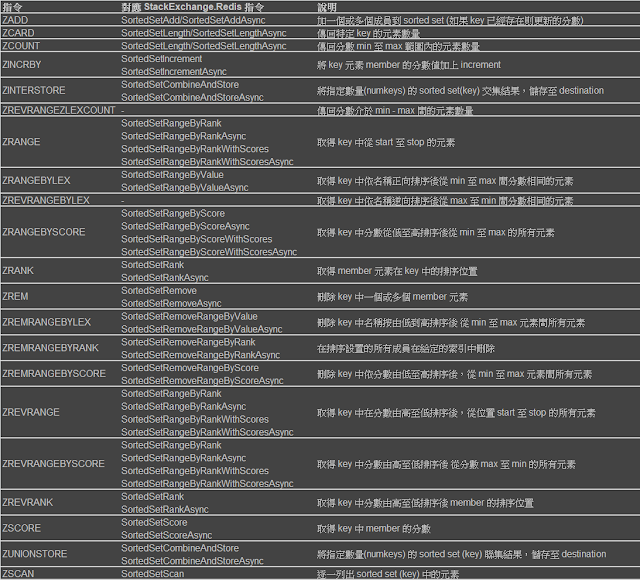
具體還有很多, 請參考下面對應表去使用
79041-rxzl0qz9ut9.png

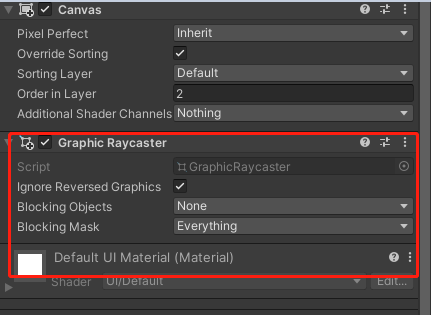
在使用 Canvas 將物件層級提高後出現一個問題, 被提高層級的物件跟底下的 Button Click 全都失效了, 查了 google 說是在添加 Canvas 同時必須增加 Graphic Raycaster, 如下, 這樣就能解決問題了
73271-g9w4esk61lr.png