打包PC版本
error: Could not set up a toolchain for Architecture x64. Make sure you have the right build tools installed for il2cpp builds. Details:

Internal build system error. BuildProgram exited with code -2146233088.
error: Could not set up a toolchain for Architecture x64. Make sure you have the right build tools installed for il2cpp builds. Details:
IL2CPP C++ code builder is unable to build C++ code. In order to build C++ code for Windows Desktop, you must have one of these installed:
 * Visual Studio 2022 or newer with C++ compilers and Windows 10 SDK (recommended)
 * Visual Studio 2019 with C++ compilers and Windows 10 SDK
 * Visual Studio 2017 with C++ compilers and Windows 10 SDK
 * Visual Studio 2015 with C++ compilers and Windows 10 SDK

Visual Studio 2017 (or newer) is detected using `vswhere.exe` as well as VSCOMNTOOLS environment variables.
Visual Studio 2015 is detected by looking at "SOFTWARE\Microsoft\VisualStudio\14.0_Config\InstallDir" in the registry as well as VSCOMNTOOLS environment variables.
Windows 10 SDK is detected by looking at "SOFTWARE\Wow6432Node\Microsoft\Microsoft SDKs\Windows\v10.0\InstallationFolder" in the registry.

Windows 10 SDK is not installed. You can install from here: https://developer.microsoft.com/en-us/windows/downloads/windows-10-sdk/


Unity.IL2CPP.Bee.BuildLogic.ToolchainNotFoundException: IL2CPP C++ code builder is unable to build C++ code. In order to build C++ code for Windows Desktop, you must have one of these installed:
 * Visual Studio 2022 or newer with C++ compilers and Windows 10 SDK (recommended)
 * Visual Studio 2019 with C++ compilers and Windows 10 SDK
 * Visual Studio 2017 with C++ compilers and Windows 10 SDK
 * Visual Studio 2015 with C++ compilers and Windows 10 SDK

Visual Studio 2017 (or newer) is detected using `vswhere.exe` as well as VSCOMNTOOLS environment variables.
Visual Studio 2015 is detected by looking at "SOFTWARE\Microsoft\VisualStudio\14.0_Config\InstallDir" in the registry as well as VSCOMNTOOLS environment variables.
Windows 10 SDK is detected by looking at "SOFTWARE\Wow6432Node\Microsoft\Microsoft SDKs\Windows\v10.0\InstallationFolder" in the registry.

Windows 10 SDK is not installed. You can install from here: https://developer.microsoft.com/en-us/windows/downloads/windows-10-sdk/


   at Unity.IL2CPP.Bee.BuildLogic.WindowsDesktop.WindowsDesktopBuildLogic.UserAvailableToolchainFor(Architecture architecture, NPath toolChainPath, NPath sysRootPath)
   at PlayerBuildProgramLibrary.PlayerBuildProgramBase.GetIl2CppToolChain(PlatformBuildLogic platform, Architecture architecture, NPath toolChainPath, NPath sysrootPath)
   at PlayerBuildProgramLibrary.PlayerBuildProgramBase.SetupIl2CppBuild()
   at PlayerBuildProgramLibrary.PlayerBuildProgramBase.SetupPlayerBuild()
   at WinPlayerBuildProgram.WinPlayerBuildProgram.SetupPlayerBuild()
   at PlayerBuildProgramLibrary.PlayerBuildProgramBase.RunBuildProgram()
   at PlayerBuildProgramTypeWrapper.Run(String[] args)
   at Program.Main(String[] args)
UnityEngine.GUIUtility:ProcessEvent (int,intptr,bool&)
重新安裝vs2022桌面開發環境工具
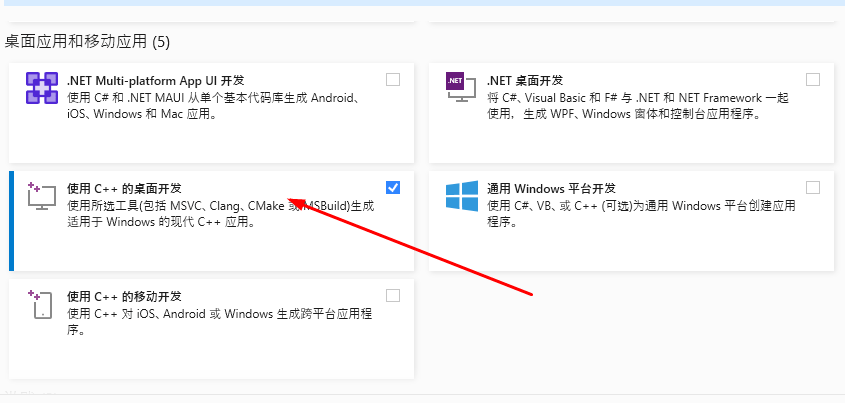
開始下載安裝
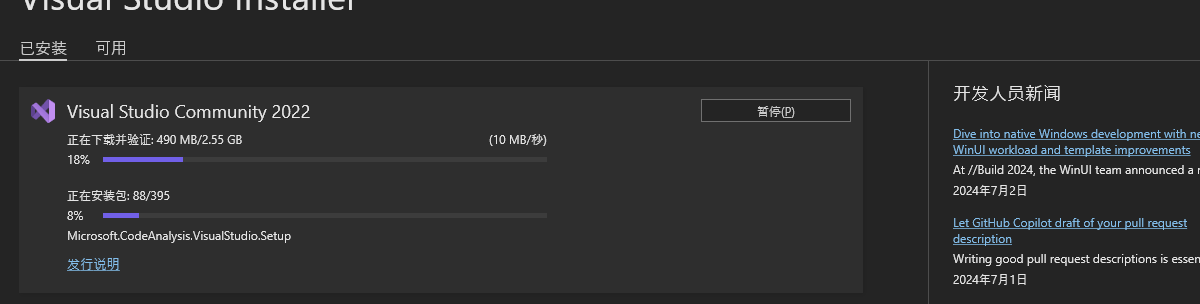
安裝好之後就行了, 打包還是出問題
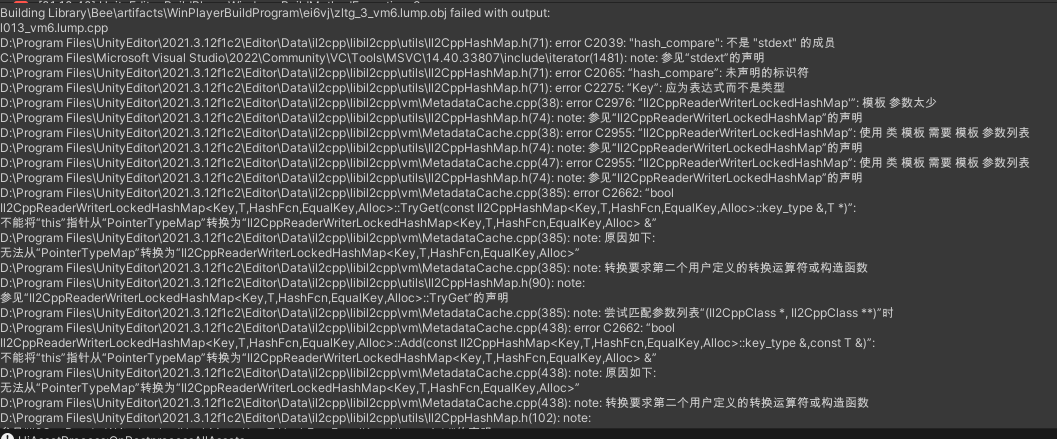
網上找了方案, 說是把下面這段加入項目就行
#if UNITY_EDITOR
using System;
using UnityEditor.Build;
using UnityEditor.Build.Reporting;
public class MsvcStdextWorkaround : IPreprocessBuildWithReport
{
    const string kWorkaroundFlag = "/D_SILENCE_STDEXT_HASH_DEPRECATION_WARNINGS";
    public int callbackOrder => 0;
    public void OnPreprocessBuild(BuildReport report)
    {
        var clEnv = Environment.GetEnvironmentVariable("_CL_");
        if (string.IsNullOrEmpty(clEnv))
        {
            Environment.SetEnvironmentVariable("_CL_", kWorkaroundFlag);
        }
        else if (!clEnv.Contains(kWorkaroundFlag))
        {
            clEnv += " " + kWorkaroundFlag;
            Environment.SetEnvironmentVariable("_CL_", clEnv);
        }
    }
}
#endif // UNITY_EDITOR
這個問題在版本 Unity 2020.3.42f1, 2021.3.14f1, 2022.1.23f1, 2022.2.0b16 and 2023.1.0a19.修復
[https://forum.unity.com/threads/unity-2022-1-22f1-with-il2cpp-not-working.1359580/][1]