Jkeeper 发布的文章

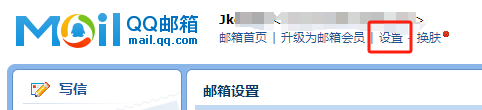
最近要開發登入系統, 需要用到郵箱作驗證, 首先去qq郵箱開通smtp服務, 點 "設置" -> "帳號"
71894-50qtt9i4ovx.png

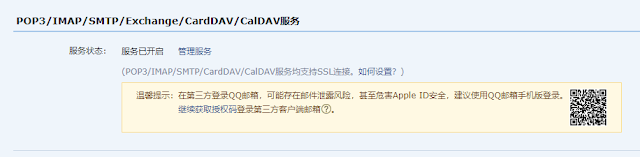
然後把smtp服務給開啟
35129-gd4h0xxdctg.png

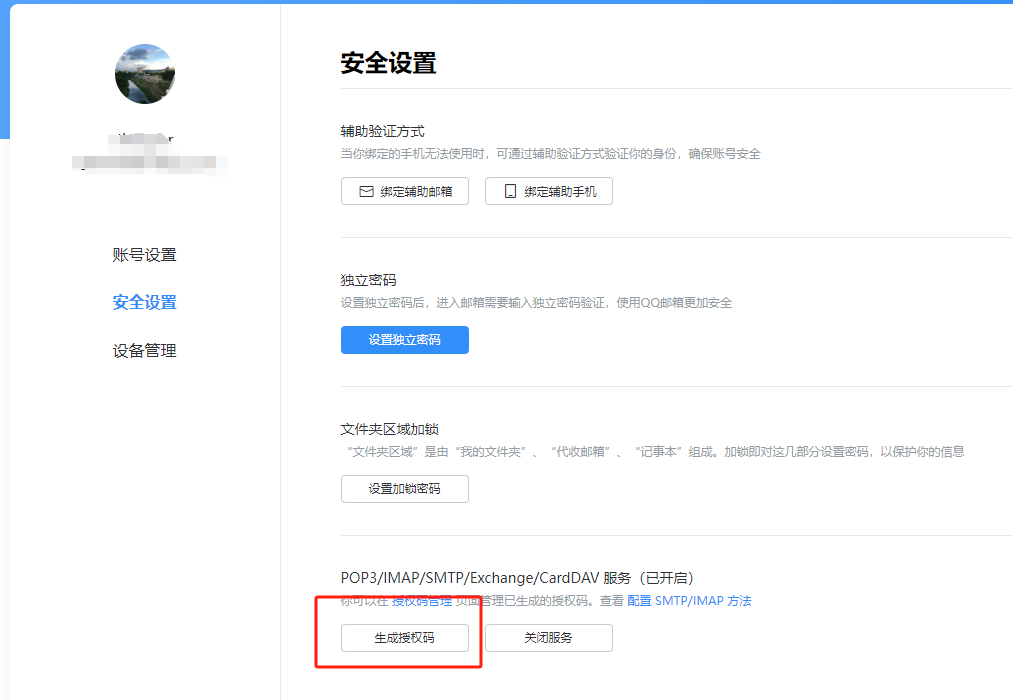
接著點管理服務, 然後在"安全設置"中生成授權碼
18381-um6usahrivk.png

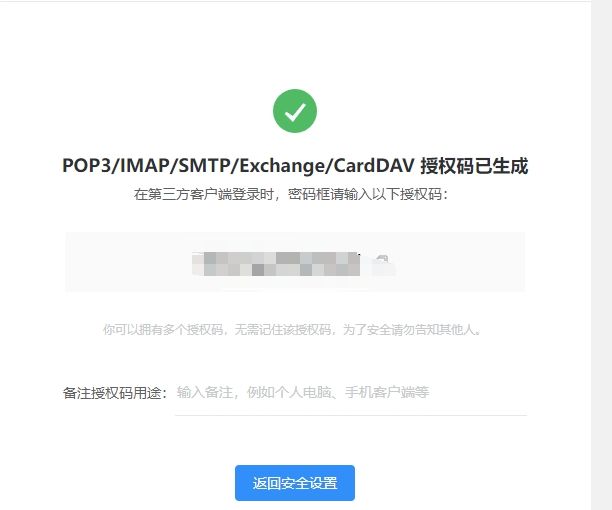
生成的授權碼無法再次查看, 要記得保存下來, 後面會用到
07263-54kpgcbgnb.png

然後回到node開發對應功能, 需要先安裝兩個套件

$ npm install nodemailer
$ npm install nodemailer-smtp-transport

接下來就是功能

const transport = nodemailer.createTransport(smtpTransport({
    host: 'smtp.qq.com', // qq smtp 地址
    port: 465, // smtp默認端口
    secure: true,
    auth: {
      user: '1300000000@qq.com', // 郵箱用戶名
      pass: 'fexxxxxxxxxx' // SMTP授權碼
    }
}));

const FROM = '1300000000@qq.com';
const TO = '1300000000@qq.com';

//驗證郵箱合理
if (regEmail.test(TO)){
  let code = randomFns()
  transport.sendMail({
    from: FROM, // 發件郵箱
    to: TO, // 收件列表
    subject: '驗證你的電子郵件', //標題
    html: `
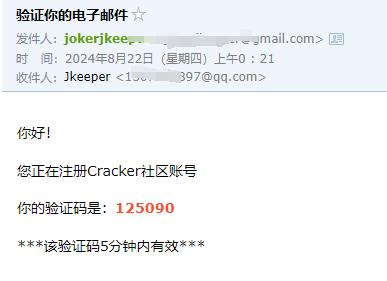
    <p>你好!</p>
    <p>你正在註冊Cocabear社區帳號</p>
    <p>你的驗證碼是:<strong style="color: #ff4e2a;">${code}</strong></p>
    <p>***該驗證碼5分鐘内有效***</p>` // html 内容
  }, 
  function(error, data) {
    console.error("error:", error);
    assert(!error,500,"發送驗證碼錯誤!")
    transport.close();
  })
  //後續工作
  console.log("send success");
}else{
    assert(false,422,'請輸入正確郵件格式!')
}
85595-vswp2y548cf.png

但需要注意的是qq smtp只能發給同樣qq郵箱, 不能發給外郵

C# 使用 HttpListener 開啟 Httpserver

this.listener = new HttpListener();
this.listener.Prefixes.Add(s);
this.listener.Start();
this.Accept();
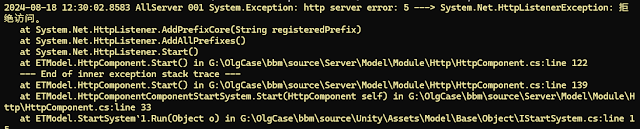
但跑到 Accept 出現錯誤
http server error: 5 ---> System.Net.HttpListenerException:
26281-r1th1hsoif8.png

如果本地沒有使用root權限運行就會出現無法獲取監聽端口問題, 需要添加對應權限
netsh http add urlacl url=http://*:8081/ user=everyone

最近項目是台灣這邊的, 但使用到的是之前大陸製作的source, 一直沒處理, 這邊製作了 python 進行簡體轉繁體處理

import os
import glob
import zhconv

root_path = r"g:/OlgCase/bbm/source/Web/"
subdir = ["application"]

def getSubFileonFolder(path):
    count = 0
    for path, subdirs, files in os.walk(path):
        for name in files:
            fn = os.path.join(path, name)
            if fn.endswith(".js"):
                print('[js]fn:' + fn)
                count+=1
                testWriteFile(fn)
            elif fn.endswith(".php"):
                print('[php]fn:' + fn)
                count+=1
                testWriteFile(fn)

    print("檔案數",count)

def testWriteFile(path):
    fn = path
    f = open(path, mode='r')
    content = f.read()
    f.close()
    content2 = zhconv.convert(content, 'zh-tw')

    with open(fn, "w", encoding="UTF-8", newline='\n') as file:
        file.write(content2)
        file.close()

def process():
    for sub in subdir:
        getSubFileonFolder(root_path + sub)

if __name__ == "__main__":
    process()

最近為了處理 Google Play 升級問題, 遇到了奇怪的情況, 記錄下來, GP 要求 app 需要升級 android 版本跟支付庫版本

應用程式必須指定 Android 14 (API 級別 34) 以上版本
應用程式必須使用 Google Play 帳款服務程式庫 6.0.1 以上版本

升級上沒多想就把 unity 的版本選擇了
35871-2q1hox2wlp8.png

運行 As 最後執行 Make Project 出現錯誤
1: Task failed with an exception.

  • What went wrong:
    Execution failed for task ':launcher:processDebugResources'.

    A failure occurred while executing com.android.build.gradle.internal.tasks.Workers$ActionFacade
    AAPT2 aapt2-4.0.1-6197926-windows Daemon #0: Unexpected error during link, attempting to stop daemon.
    This should not happen under normal circumstances, please file an issue if it does.

  • Try:
    Run with --stacktrace option to get the stack trace. Run with --info or --debug option to get more log output. Run with --scan to get full insights.

    2: Task failed with an exception.

  • What went wrong:
    Execution failed for task ':unityLibrary:processDebugAndroidTestResources'.

    A failure occurred while executing com.android.build.gradle.internal.tasks.Workers$ActionFacade
    AAPT2 aapt2-4.0.1-6197926-windows Daemon #1: Unexpected error during link, attempting to stop daemon.
    This should not happen under normal circumstances, please file an issue if it does.

對比了空項目確認不是 FB 跟 GooglePlayGames 庫問題, 比對兩個 AS 項目後來發現 compileSdkVersion 使用 34 就是會出錯, 後來把 compileSDKVersion 改 33 就好了
compileSdkVersion 33

在 AS 連機執行 Play 出現錯誤

INSTALL_PARSE_FAILED_MANIFEST_MALFORMED

可能是 manifest 問題, 但 AS 沒提示哪邊有錯誤, 索性打包 aab 丟到 Google play 看看

上船完成後提示

您上傳的 APK 或 Android App Bundle 內含活動、活動別名、服務或廣播接收器,這些項目含有意圖篩選器,但沒有「android:exported」設定屬性。您無法在 Android 12 以上版本上安裝這個檔案。詳情請參閱:developer.android.com/about/versions/12/behavior-changes-12#exported

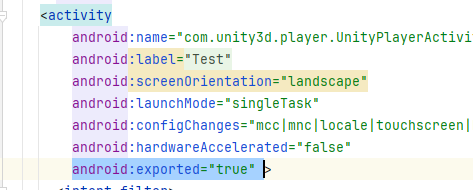
AndroidManifest.xml 缺少 export 屬性, 加入屬性到 <activity 底下就可以

android:exported="true"
21461-5fqgu0buh2r.png